

The photo app for The Frame.
Real albums, collages, and fast slideshows for your own photos, sent from iPhone, iPad, Android and Mac straight to every Samsung Frame TV you own.
First 4 uploads free. You only pay after it works on your TV.
Works with every Frame since 2017
- 2017the first Frame
- 2018
- 2019
- 2020
- 2021
- 2022
- 2023
- 2024
- 2025
- 2026
Your Frame TV deserves better.
You bought a $2,000 piece of art to display your memories. Your Frame TV has a gorgeous screen, a sleek design, and one job: look beautiful.
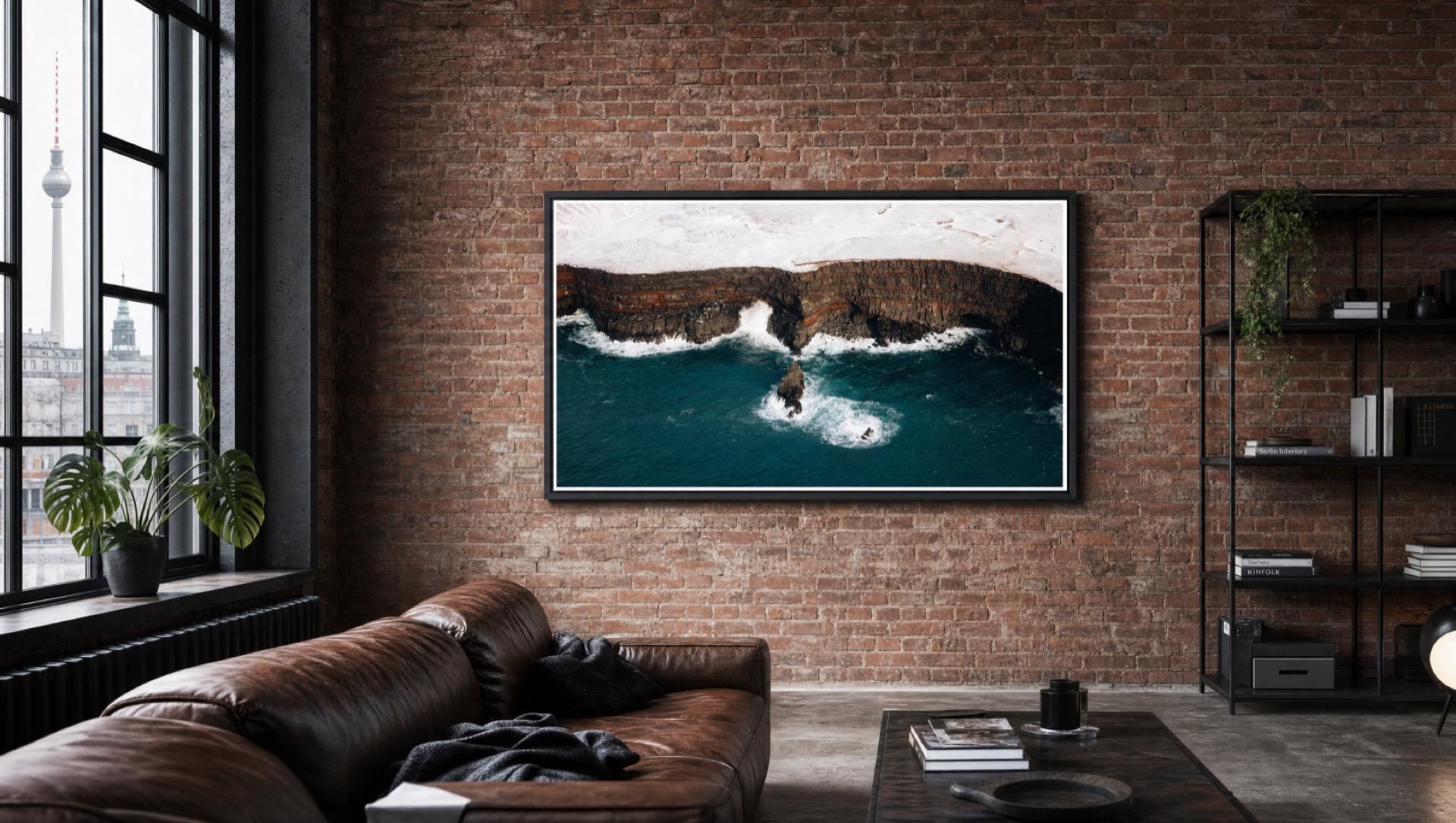
So why is uploading your own photos so hard?
Getting your own photos onto The Frame has always been clumsier than it should be: cloud round-trips, a required Samsung account, and tools built for art rather than your photos. Meanwhile your favorite shots sit on your phone, tablet, or Mac while the TV shows someone else's art instead of yours.
Find your TV, frame your photo, send it.
Frame Photos is the photo app made for The Frame: it finds your TV on your own WiFi and puts your photos on the wall, exactly the way you framed them.
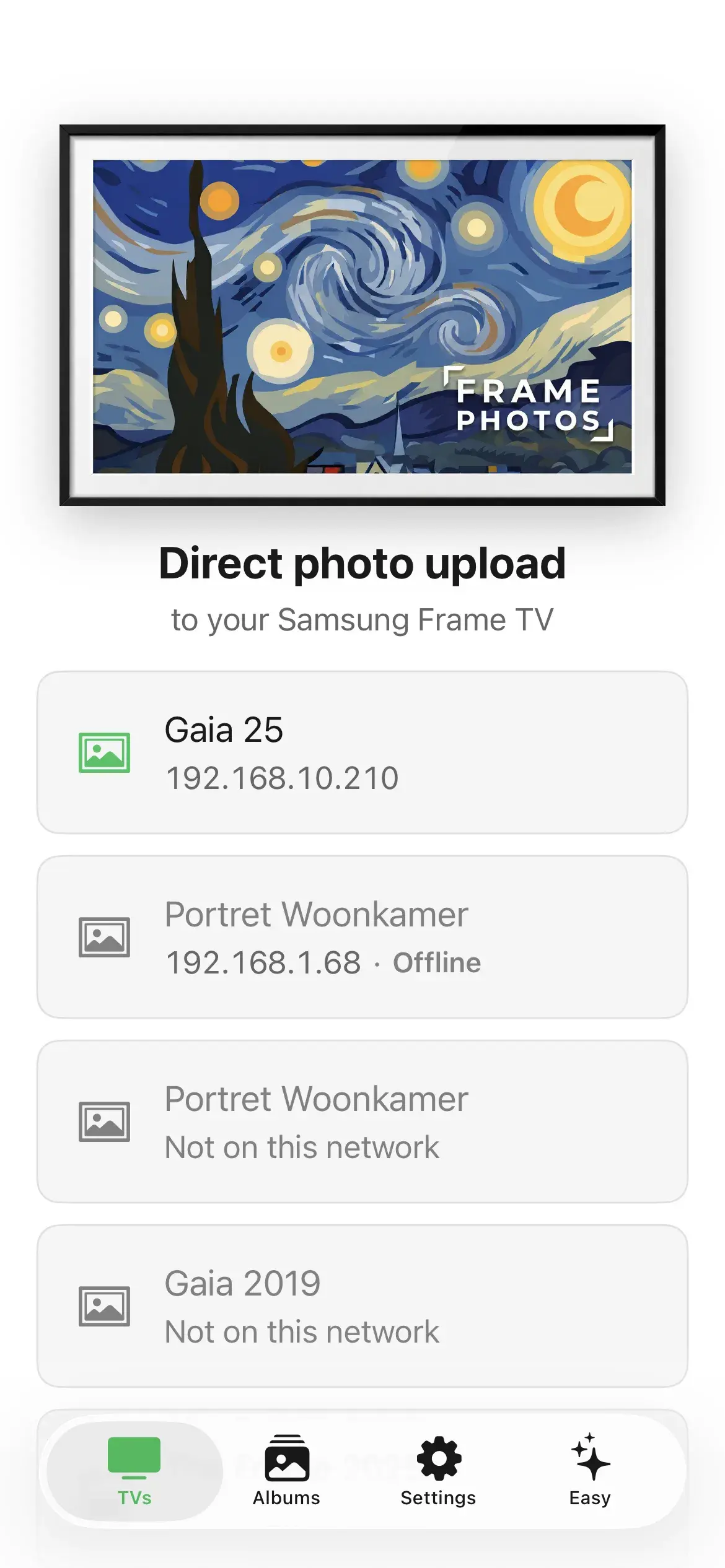
1Find your TV
Frame Photos finds your Frame on WiFi automatically, no Samsung account, no setup.
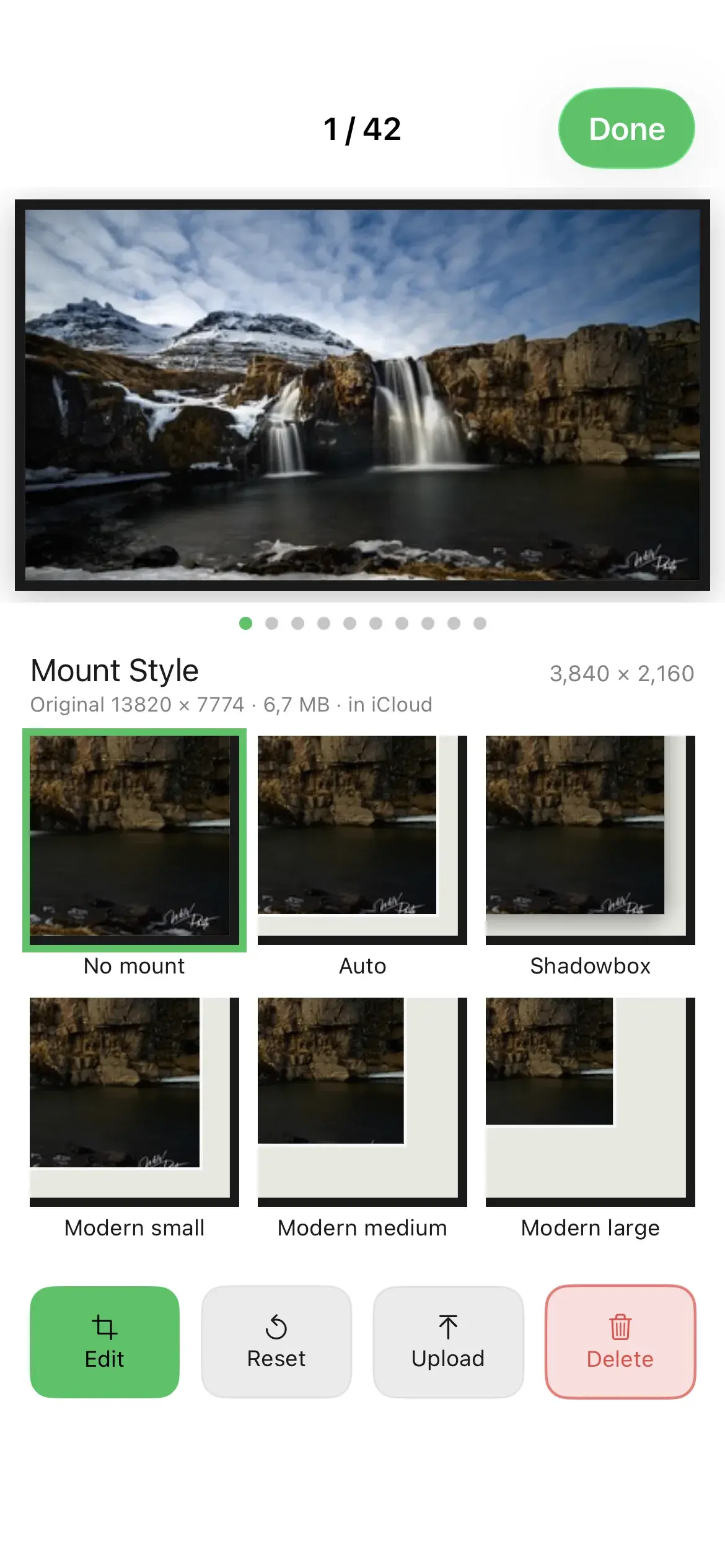
2Frame your photo
Select, crop, and customize for landscape or portrait-mounted Frames. Preview the full matte. Auto-convert HEIC, JPEG, PNG.
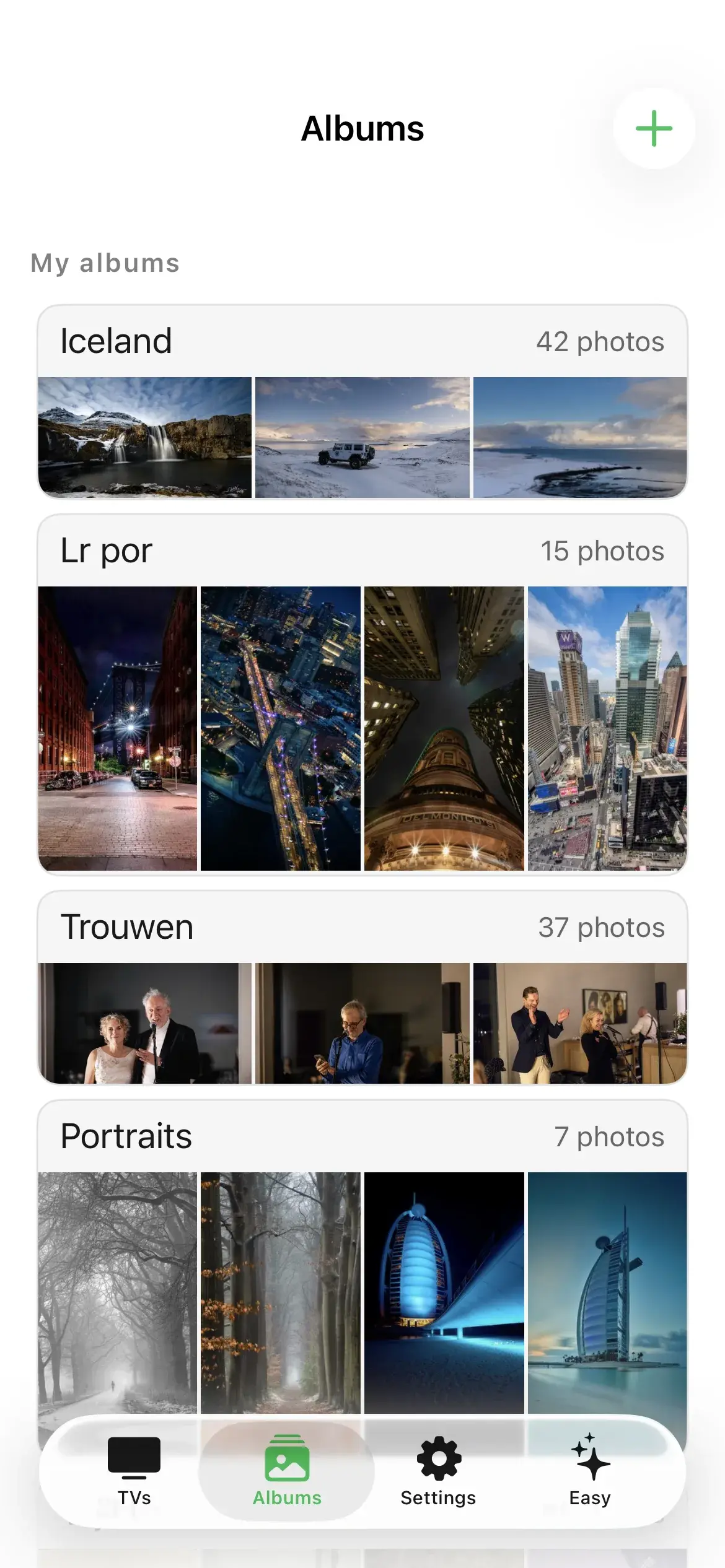
3Send it
In seconds, your photo appears on your Frame, framed exactly the way you previewed it.
Want the details? Read the full step-by-step guide →

Your Photos on Your Frame
See it framed
before you send.
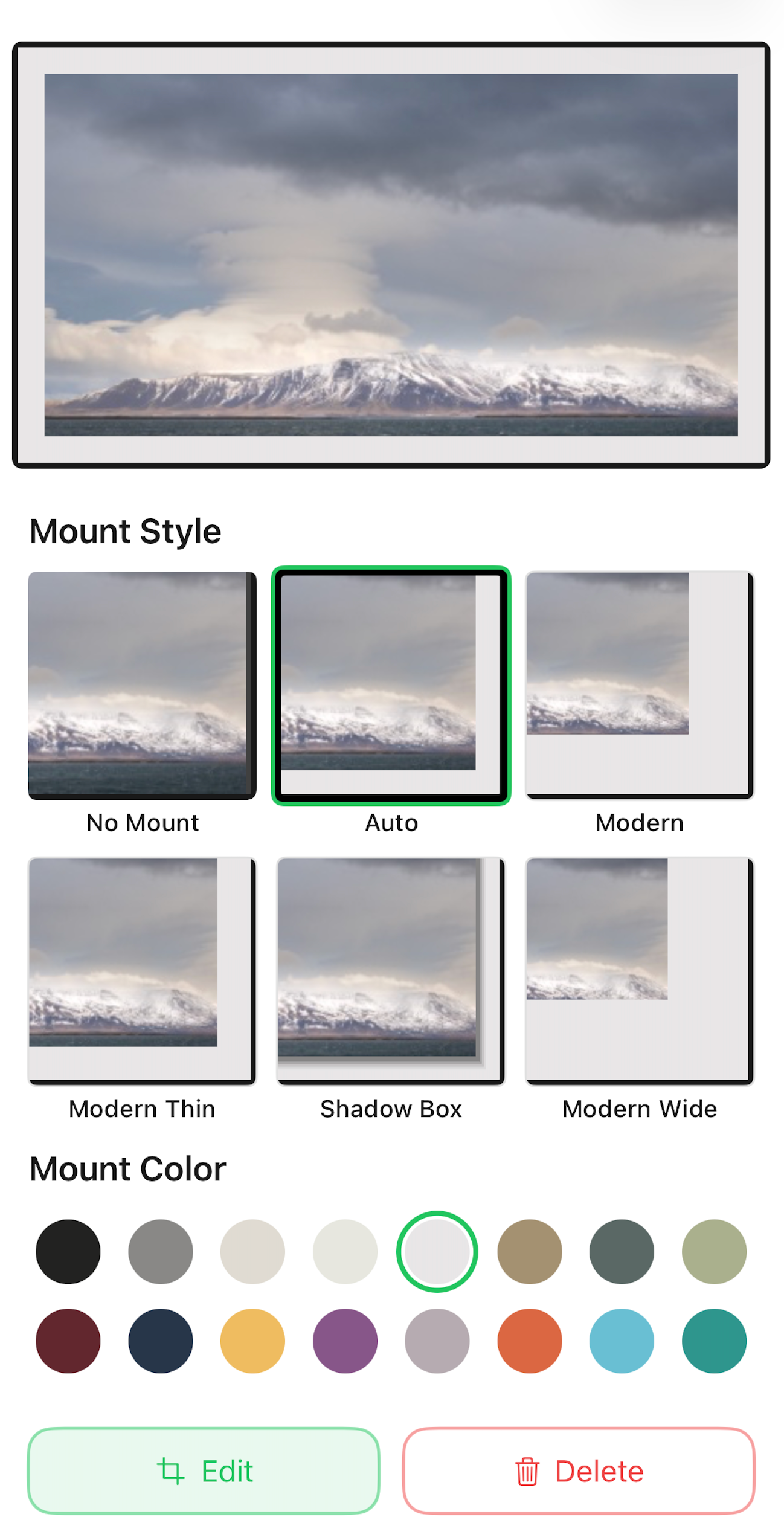
The matte editor shows your photo inside a real Samsung mount, so the art on your Frame looks exactly the way you pictured it.
16 real Samsung matte colors
The same mats your Frame supports, previewed exactly as they will look on the wall.
Frame it before you send it
Adjust the crop and the mat, see the finished art, then decide. No guessing at the TV.
The full preview is free
Preview every matte, and your first 4 uploads are free, so you can confirm it works on your TV before you pay.
Built around your photos.
One app for the whole workflow: pick, frame, send, and keep every Frame in the house fresh.
- Your Photos, Your Home WiFi
- Photos travel straight from your device to your Frame over your own WiFi, with no Samsung account and without passing through us. Optional album sync is available if you want several devices or several people to manage the albums: iCloud Sync as a one-time purchase on your own iCloud, or Frame Cloud on our storage if there is an Android in the mix. There we never look at your photos and never use them to train any model.
- Real Albums & Collages
- Organize photos into albums on your phone, tablet, or Mac, and sync an album to your Frame with one button: new photos added, old ones removed, slideshow configured. Build collages from 13 templates, rendered at 4K so they stay sharp on the wall.
- Apple and Android
- One Apple purchase covers iPhone, iPad, and Mac. The Android app for phones and tablets is coming to Google Play. The whole family can manage the same Frames from their own devices.
- Fast Slideshow & Party Mode
- Run an app-driven slideshow from 15 seconds to 3 minutes per photo, much faster than the TV’s own rotation. Party Mode rotates photos across every selected Frame in the house at once.
- Every Frame in the House
- Connect multiple Frame TVs, see their status at a glance, and choose per TV what should be shown. Wake a sleeping Frame remotely and switch albums per room or per season.
- Landscape & Portrait
- Hang any Frame vertically and Frame Photos rotates your uploads so they appear upright. Build portrait albums for hallways, kitchens, and photographer walls.
Made for how you’ll use it.
One app, different walls. Pick the story that sounds like yours.
 For families
The whole family adds photos
Everyone uploads from their own phone or tablet: birthdays, holidays, and everyday moments, rotating on the living-room wall.
Read more → For photographers & creatives
Your work, printed in light
Seasonal albums per screen, portrait walls, and client work presented the way you framed it, from your Mac or phone.
Read more → For hosts & businesses
Every property, always fresh
Per-property albums, seasonal swaps before check-in, and one app that manages every Frame you own.
Read more →Albums that cross devices, and people
The good photos are scattered over everyone’s phone and a group chat or two. One shared collection gathers them, and hangs them where the family actually sees them.

- Every device, one collection
- Start an album on your iPhone, finish it on the Mac, run the slideshow from the iPad. Your albums are simply there, on every screen.
- Share with people, not just screens
- Invite family members into your collection. Everyone adds photos to the same albums, for the same Frames, from whatever phone they carry: Apple or Android.
- Your photos stay yours
- Photos travel from your device to your Frame over your own WiFi. Sharing runs either through your own iCloud, where we never see them at all, or through Frame Cloud on our servers. There we never look at your photos and never use them to train any model.
Two ways to buy
Pay once and keep it forever, or subscribe monthly and let us host the sync. Both start free. Try it on your own Frame first.
Frame Photos is currently free. These prices apply once the paywall goes live. Download now and the app stays free for you.
Just me, one device
$9.99 one-time
More Apple devices, or more people
$24.98 one-time, together
Anyone on Android
$2.99/mo monthly, app included
Frame Photos
The whole app, on one device.
- Unlimited uploads, albums, and collages
- Party Mode and portrait Frames
- Works with every Frame since 2017
- One device only: albums stay on the device you upload from
Frame Photos Monthly
Sync on our storage: Frame Cloud included.
Pick this one if anyone uses Android, or if you are all on Apple but would rather not spend your own iCloud storage.
- The whole app included, so you do not buy it separately
- Frame Cloud storage, hosted by us
- Works across Apple and Android in one household
- Never touches your own iCloud storage
- Per person: everyone who manages photos has their own subscription
Android has no free iCloud, so we host the storage. That costs us money every month, which is why this one is a subscription. Everyone who manages photos has their own subscription. Stop paying and the cloud goes read-only for 30 days before it is suspended and eventually cleared; every device that was using it keeps its own copy.
Sync always needs storage somewhere. Either it runs on storage you already have, your own iCloud, or on storage we run for you: Frame Cloud.
Which should I pick? All-Apple household → pay once and add iCloud Sync, which runs on your own iCloud. Android in the mix, or rather not use your own iCloud → Frame Photos Monthly, with Frame Cloud hosted by us.
Common questions, real answers
We get it. Here’s what matters.
Will it work with my Frame TV?
Frame Photos works with every Samsung The Frame model year from 2017 through 2026, all tested, including the older 2017–2021 art API that trips up most apps. If your TV is on your home WiFi, Frame Photos will find and connect to it. No special setup required.
Which phones, tablets, and computers can I use?
Frame Photos runs on iPhone, iPad, and Mac, and there is an Android version for phones and tablets. The Apple version is in the App Store; the Android version is coming to Google Play.
Is my data safe? Do you collect my info?
Uploading to your Frame happens entirely on your home WiFi: photos go straight from your device to your TV, without passing through us, and no Samsung account is required. Album sync is the one thing that needs storage in between, and you choose whose: iCloud Sync runs on your own iCloud, so we never see those photos at all, while Frame Cloud runs on our servers, where we never look at your photos and never use them to train any model. The Apple app can use privacy-scrubbed anonymous usage analytics, which you can opt out of; the current Android app sends no analytics. See our Privacy Policy for platform-specific details.
Why not just use SmartThings?
SmartThings is Samsung's whole-home control app and fine for putting a single photo on your Frame. Frame Photos is built for the photo workflow around it: albums, collages, slideshows, and multiple Frames, over your local WiFi without a Samsung account.
What if it doesn't work for me?
You can connect to your Frame and send your first four uploads for free, so you can confirm it works with your exact TV before paying anything. Refunds are handled by the store where you bought the unlock: the Apple App Store or Google Play.
What are Fast Slideshow and Party Mode?
The TV has its own slideshow, but Frame Photos also has an app-driven Fast Slideshow mode with intervals from 15 seconds to 3 minutes. Party Mode takes that further: select multiple Frames in your home and Frame Photos rotates photos across all of them together, perfect for travel albums, family gatherings, or parties.
How does Frame Photos connect to my TV?
Frame Photos connects over your local home WiFi. As long as your device and your Frame are on the same network, the app finds the TV and talks to it directly, no Samsung account, and no sign-in required. Your photos go straight from your device to your Frame.
Can I manage multiple Frame TVs?
Yes. You can manage several Frame TVs from one app, handy for different rooms or a home with more than one Frame. Party Mode can rotate photos across all selected Frames at the same interval, from 15 seconds to 3 minutes. Each TV needs to be on the same WiFi network as your device.

Every season, a fresh wall.
Your Frame TV is ready for your photos.
Free to try on your own Frame. Your first uploads are on us.


“I bought The Frame to put my own photos on the wall, and the apps I tried made that harder than it should be. So I built Frame Photos for myself first. If it works on my wall, I want it to work on yours.”Siebrand Dijkstra, Maker of Frame Photos